
How to Sell Your Old iPhone in Cape Town and Get a Fair Price

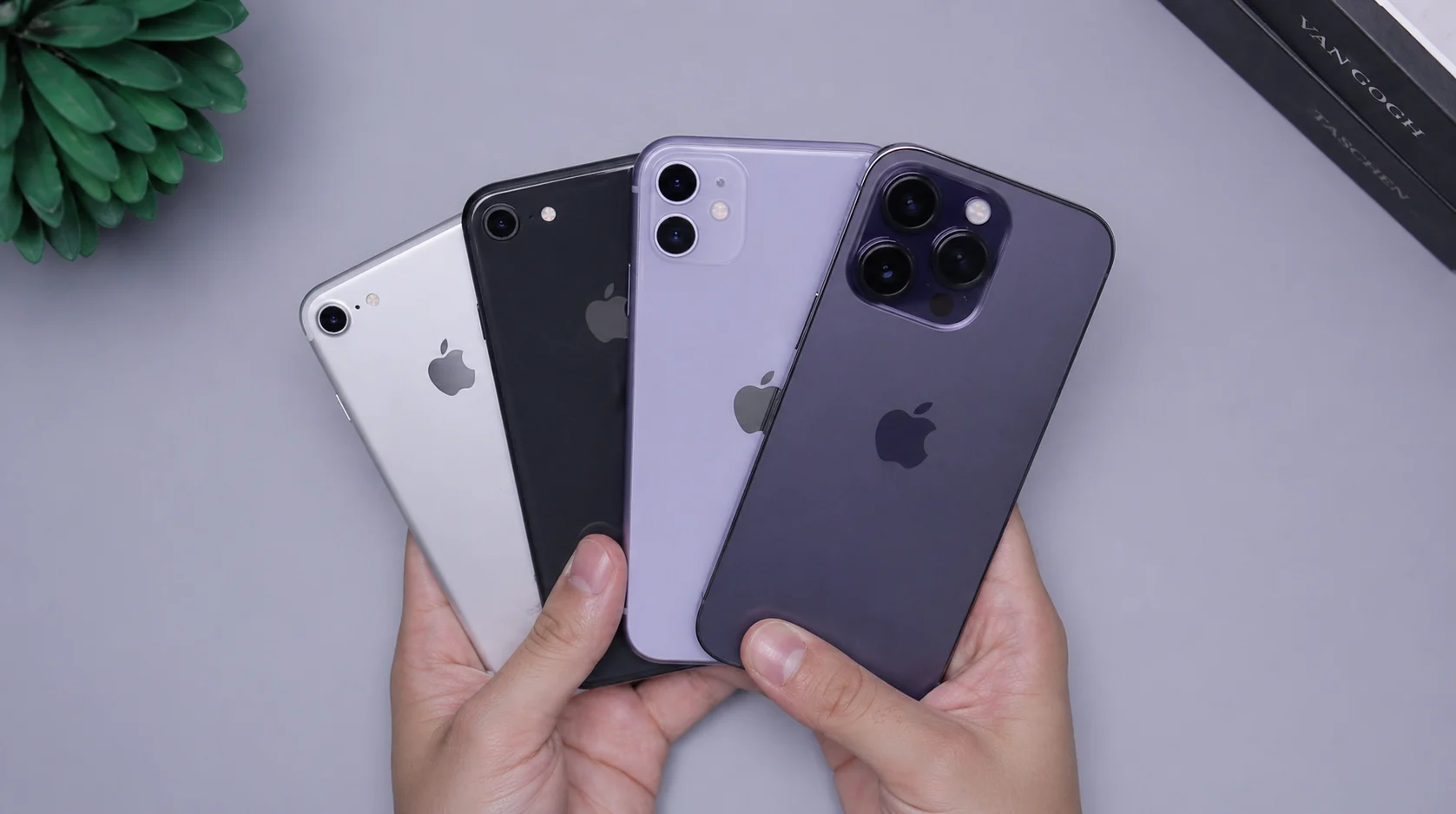
Got an old iPhone sitting in a drawer? Whether you’re upgrading, decluttering, or just need some cash, selling your iPhone in Cape Town doesn’t have to be complicated. This guide walks you through how to prepare your device, what it’s actually worth, and how to get a fair deal without the hassle of private listings.
There’s a decent chance you have an old iPhone somewhere in your home right now. Maybe it’s the model before your current one, or an older handset that’s been retired to a bedside table. Whatever the reason it’s sitting idle, it has value – and that value drops a little more every month you hold onto it.
The question most people get stuck on isn’t whether to sell. It’s how. Private listings can be time-consuming and risky. Online platforms are flooded with tyre-kickers. And the anxiety of meeting a stranger to hand over a device is real.
This guide covers the full picture – how to get your iPhone ready to sell, what to realistically expect in terms of price, how to avoid the common mistakes, and why selling to a trusted local buyer in Cape Town is often the simplest, safest route.
Why Selling Your Old iPhone Sooner Makes Financial Sense
iPhones hold their value better than most smartphones – but they don’t hold it forever. Every new model Apple releases nudges older devices down the resale ladder. An iPhone 11 that was worth R6,500 two years ago might fetch R5,499 today, and less again in six months.
The sweet spot for selling is usually in the window after you’ve upgraded but before the next Apple announcement cycle creates another dip in demand for older models. In practical terms: the sooner you sell after upgrading, the better price you’re likely to get.
There’s also the sustainability angle worth thinking about. Every iPhone that finds a new owner extends the life of a device that already exists – reducing the environmental cost of manufacturing something new. Mobile Mate actively supports this circular economy model, purchasing pre-owned devices in-store and matching them with new owners who want a quality handset at a fair price.
How Much Is Your Old iPhone Actually Worth?
Value depends on four things: model, storage size, condition, and current market demand. Here’s a realistic snapshot of what pre-owned iPhones are trading for in Cape Town right now, based on current stock at Mobile Mate:
| Model | Storage | Typical Resale Range |
|---|---|---|
| iPhone 7 / 7 Plus | 128GB | R1,500 – R2,500 |
| iPhone 11 | 128GB | R3,500 – R5,500 |
| iPhone 12 / 12 Pro | 128–256GB | R5,000 – R8,500 |
| iPhone 13 | 128–256GB | R6,000 – R8,500 |
| iPhone 13 Pro Max | 256GB | R8,000 – R11,000 |
| iPhone 14 / 14 Pro | 128–256GB | R9,000 – R14,000 |
These are broad ranges – condition is the biggest variable. A device in excellent cosmetic shape with 85%+ battery health will always attract a better offer than one with a cracked back, a scratched lens, or degraded battery. If you’re unsure what your phone is worth, the most straightforward approach is to bring it into the Mobile Mate store at Cape Quarter for a no-obligation assessment.
💡 Quick Value Check Go to Settings > General > About to confirm your exact model and storage. Then check Settings > Battery > Battery Health. These two figures will have the biggest impact on what you’re offered.
How to Prepare Your iPhone Before You Sell It
A well-prepared device will always get a better offer than one that hasn’t been set up for handover. These steps take less than fifteen minutes and can meaningfully affect the price you’re offered.
- Back up your data Before anything else, back up to iCloud or your computer via Finder or iTunes. Once you’ve wiped the phone, your data is gone. Don’t skip this.
- Sign out of iCloud and disable Activation Lock This is the most important step. Go to Settings > [Your Name] > Sign Out. If you don’t do this, the new owner won’t be able to use the device – and no reputable buyer will purchase a phone that’s still linked to an Apple ID. An iCloud-locked phone is worth nothing to a reseller.
3. Erase all content and settings Go to Settings > General > Transfer or Reset iPhone > Erase All Content and Settings. This returns the phone to factory state, ready for a new owner to set up from scratch.
4. Remove your SIM card Don’t leave your SIM in the device. Pop it out before handing over.
5. Clean the device A microfibre cloth goes a long way. A clean phone photographs better and presents better in person. Small detail, real impact.
6. Gather the original accessories if you still have them. The original box, charger, and cable won’t dramatically change your offer, but they add credibility to the sale and show the device has been looked after.
⚠️ Don’t Skip Step 2 Selling an iCloud-locked iPhone – even by accident – causes real problems for the buyer and reflects badly on you as a seller. Always confirm Activation Lock is off before the handover. You can verify this at appleid.apple.com by checking your registered devices.
Where to Sell Your iPhone in Cape Town: Your Options Compared
There’s no shortage of ways to sell a used iPhone in Cape Town, but they’re not all equal. Here’s an honest breakdown:
| Option | Potential Price | Speed | Risk Level |
|---|---|---|---|
| Private sale (Gumtree, OLX, Facebook) | Highest possible | Slow – days to weeks | High – scams, no-shows, unsafe meetups |
| Online trade-in platforms | Moderate | Medium – postal delays | Low-medium – courier risk, disputes |
| Selling to a local tech store | Fair market value | Fast – same day in most cases | Low – face-to-face, immediate payment |
Private listings can theoretically fetch you a higher price, but factor in the time spent managing enquiries, the risk of scams, and the logistics of meeting strangers – and the premium often doesn’t feel worth it. For most people, a straightforward in-store sale to a trusted local buyer is the better trade-off.
Selling to Mobile Mate: What to Expect
Mobile Mate actively buys pre-owned iPhones in Cape Town. The process is simple and transparent: bring your device into the store at Cape Quarter Lifestyle Village in Green Point, and their team will assess it and make you an offer on the spot.
Because Mobile Mate’s staff are repair technicians first and foremost, they know exactly what they’re looking at. Battery health, screen condition, internal integrity – nothing gets missed, but nothing gets unfairly penalised either. You’ll get an honest assessment and a fair offer, not a lowball from someone guessing.
There’s no obligation to accept. If the offer doesn’t work for you, you can walk away. But most people find the combination of speed, transparency, and zero hassle makes it the most practical option.
💡 Tip Mobile Mate also has a collection and delivery service covering homes and businesses in the Atlantic Seaboard area. If you can’t make it to Cape Quarter in person, get in touch to discuss your options.
Common Mistakes That Cost You Money When Selling
A few avoidable errors consistently result in sellers getting less than they should:
Waiting Too Long
Every iPhone model cycle that passes nudges your device’s value down. If you’ve already upgraded, there’s no benefit to holding onto the old phone. Sell while the market is still active for your model.
Selling With iCloud Still Active
As covered above – this is a dealbreaker for any serious buyer. An Activation Locked phone either sells for a fraction of its value or doesn’t sell at all.
Ignoring Battery Health
If your battery health is sitting below 80%, it’s worth getting it replaced before you sell. A battery replacement at Mobile Mate typically takes between 60 and 120 minutes and uses A-grade parts backed by a 6-month warranty. The cost of the replacement is often recovered in the higher selling price you can ask for a phone with good battery health. Check the FAQ page for more details on their repair process.
Overpricing Based on Wishful Thinking
It’s easy to search for your model on Gumtree, find the highest listing, and anchor your expectations there. But asking price and selling price are very different things. Use actual sold listings or a professional assessment to calibrate your expectations.
Not Cleaning or Preparing the Device
A phone that looks uncared for will be treated as uncared for, regardless of its actual condition. Ten minutes of cleaning and preparation pays off.
Should You Repair Before You Sell?
This depends on the nature of the damage and the model of the phone. As a general rule:
- Cracked screen: Worth repairing on higher-value models (iPhone 12 and above). The repair cost is usually recovered in the improved selling price. On older or lower-value models, it may not make financial sense.
- Battery below 80%: Almost always worth replacing. Battery health is one of the first things any knowledgeable buyer checks, and a degraded battery can significantly reduce your offer.
- Cosmetic scratches: Generally not worth repairing. Minor wear is expected on a used device and most buyers factor it in without dramatically penalising the price.
- Water damage: Complex and unpredictable. Get a professional assessment before deciding whether a repair is viable or cost-effective.
Mobile Mate can assess your device and give you an honest view on whether a repair before sale makes financial sense. They handle iPhone repairs in-house at their repair lab adjacent to the store, so you can have the conversation and the repair handled in one visit if it makes sense.
Selling Multiple Devices: A Note for Businesses
If you’re a business with a fleet of devices due for an upgrade, Mobile Mate offers B2B services and handles corporate repair and device management for SMEs and larger organisations across Cape Town. Rather than listing each handset individually which is time-consuming and inconsistent – you can bring the devices in for a batch assessment and streamline the whole process.
They currently service a national corporate with over 950 staff. If your business needs a structured approach to offloading old devices or upgrading your team’s phones, reach out to their account manager directly to discuss what’s possible.
Pre-Sale Checklist: Before You Hand Over Your iPhone
- Back up all data to iCloud or your computer
- Sign out of iCloud and confirm Activation Lock is disabled
- Erase all content and settings (factory reset)
- Remove your SIM card
- Check battery health and consider replacement if below 80%
- Clean the device thoroughly
- Gather original accessories if available
- Get a professional assessment to understand fair market value
Ready to Sell Your iPhone in Cape Town?
Bring your device into Mobile Mate at Cape Quarter Lifestyle Village in Green Point for a same-day assessment and a fair, transparent offer. No listings, no strangers, no hassle.
📍 Shop A17, Cape Quarter Lifestyle Village, 27 Somerset Rd, Green Point, Cape Town, 8005
📞 066 170 2867 | ✉️ hello@mobilemate.co.za